
 Published on and written by Cyril Jarnias
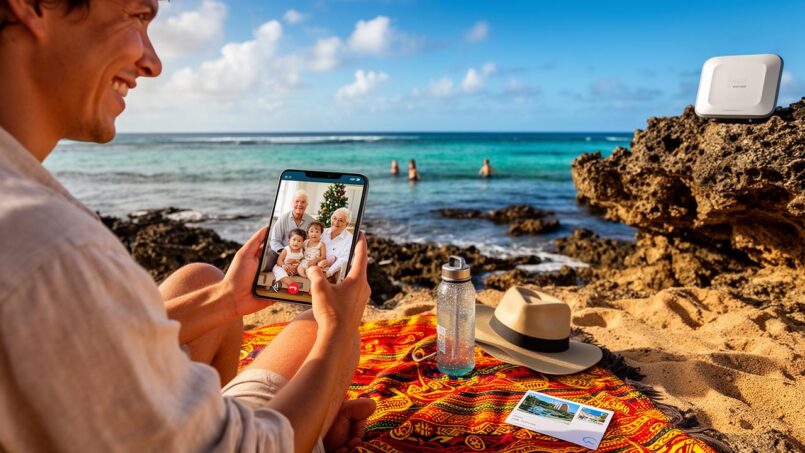
Setting foot on Niue means accepting being geographically remote from everything… without necessarily cutting ties with loved ones. The Pacific coral island, often described as a “WiFi Nation,” surprisingly boasts a dense telecom infrastructure for a territory with fewer than 2,000 inhabitants. But here, nothing works quite like at home: no roaming, little public WiFi, very specific technical constraints, and a network still reliant on satellite.
To communicate from Niue without difficulty or excessive cost, several solutions exist: use a local SIM card, accommodation WiFi, or the alternative Kaniu network. For international calls, prioritize low-cost options. Instant messaging apps are practical, and postal mail remains an alternative. In an emergency, backup satellites can be used.
Understanding Niue’s Digital Ecosystem
To stay in touch from Niue, you first need to understand how the local network works. The island made headlines years ago by declaring itself the “world’s first country with free nationwide WiFi,” partly funded by revenue from its .nu internet domain. The current reality is more nuanced.
The island has a modern infrastructure (fiber optics, Manatua submarine cable, 4G LTE, and mesh WiFi), but the small market size and Pacific technical constraints lead to compromises: no roaming, little public WiFi, irregular speeds, and risk of outages, especially when switching to the backup satellite connection.
Telecom Niue, the sole government-owned operator, handles the essentials: landline, mobile, ADSL, fiber, 4G. Alongside it, a local provider, Kaniu Native Broadband, operates paid WiFi hotspots scattered in villages. The old free WiFi initiative managed by the Internet Users Society Niue (IUS-N) still survives through a few very limited access points, notably in Alofi.
In short: on Niue, staying connected is possible, but it requires preparation.
No Roaming: A Local SIM Card is Essential
The first rule to know before landing at Hanan: international roaming does not work. Telecom Niue has no roaming agreements with foreign operators. As a result, even if your New Zealand or European plan includes the Pacific, your phone will remain silent upon arrival in Niue.
To make calls, send SMS, or use data, you absolutely must purchase a Telecom Niue SIM card.
Where and How to Buy a Telecom Niue SIM
Two main locations allow you to get equipped very quickly:
– the Telecom Niue kiosk at Hanan International Airport, open on Air New Zealand arrival days;
– the Telecom Niue store in the Alofi South shopping center, open 24/7 according to official information.
SIMs are sold to visitors without restriction. Basic prices are reasonable by New Zealand standards:
| Type of SIM | Approximate Price (NZD) | Main Details |
|---|---|---|
| Standard Telecom Niue SIM | ~$10 | Prepaid line, top-ups of your choice |
| Visitor SIM / Visitor Travel SIM | ~$50–$55 | SIM + credit + data for 14 to 30 days (non-extendable) |
The “Visitor” packages are designed for a short stay: they typically include 6 GB of data, a few tens of minutes of local/international calls (to NZ/Australia) and SMS, with validity limited to 7 or 14 days depending on the pack. They are not renewable: once the duration expires, you need to top up with another offer.
For longer stays, it can be wise to negotiate for a standard SIM rather than a Visitor SIM, to benefit from longer validity periods (60 days for some mixed or data plans).
Phone Compatibility: The Band 28 Trap
Another crucial particularity: Niue’s 4G operates exclusively on Band 28 (700 MHz). To enjoy mobile broadband and VoLTE (calls over 4G), your device absolutely must support this Band 28.
In broad terms:
– most recent iPhones are compatible for voice, SMS, and VoLTE 4G;
– many modern Android phones are too, but not all, especially models intended for other markets;
– the phone must also be unlocked.
In case of 4G incompatibility, don’t panic: the network maintains a 2G/GSM backbone at 900 MHz, which at minimum allows voice calls and SMS. Web browsing, however, will be very limited or even impossible on this old network.
That’s the maximum number of devices that can connect simultaneously to the MiFi router rented from Telecom Niue.
Choosing Your Mobile Plan to Stay in Touch
Telecom Niue has expanded its range of prepaid options: “visitor” packs, mixed voice/SMS/data offers, data-only options, weekend or nighttime bundles, etc. The main thing to remember is that on Niue, you pay per data volume rather than for “unlimited” data.
A few examples of price structures (exact amounts may change):
| Type of Telecom Niue Plan | Indicative Price (NZD) | Typical Content | Validity |
|---|---|---|---|
| Visitor Package 1 | $50 | 6 GB, 100 local mins, 30 mins to AU/NZ | 14 days |
| Visitor Data1 | $32 | 6 GB data | 7 days |
| Mobile Data 1 | $16 | 2 GB | 30 days |
| Mobile Data 2 | $32 | 6 GB | 30 days |
| Mobile Data 3 | $50 | 12 GB | 30 days |
| Mixed “Lite” | $21 | 512 MB + local mins and SMS | 60 days |
| Mixed “Classic” | $52 | 3 GB + 500 mins + 250 SMS | 60 days |
| Mixed “Heavy” | $104 | 10 GB + unlimited local calls/SMS | 60 days |
| Night Surfer 10 GB | $10 | 10 GB (10pm–6am) | 7 nights |
| Night Surfer Unlimited | $30 | unlimited (10pm–6am) | 7 nights |
For a two-week stay focused on “vacation + sharing news,” a Visitor Package or a Mobile Data 2 or 3 plan easily covers the needs for messaging, moderate social media use, occasional video calls, and sending photos.
Top-ups are valid for 30 days and can be done:
– at the Telecom Niue store in Alofi;
– at the airport kiosk on flight days;
– by phone (015);
– via the Telecom Niue app (Android and iOS);
– sometimes online.
A good reflex: install the Telecom Niue app as soon as you activate the SIM to monitor your balance and usage in real time.
WiFi on Niue: Useful, But Not a Reflex Like Elsewhere
You read everywhere that Niue offers “free” nationwide WiFi. In practice, WiFi doesn’t play the same role here as in a Western capital. You don’t go down to the local cafe to connect to the roastery’s network; there are no libraries, coffee chains, or co-working spaces filled with hotspots. Public WiFi is rare, sometimes restricted to a few sites, and often saturated.
WiFi in Accommodations: Your Best Ally
The easiest way to stay online without running up a big bill is to choose accommodation with WiFi included. The good news: the majority of hotels, pensions, guesthouses, and villas offer it, sometimes for free, sometimes via a coupon system.
Among the establishments that explicitly offer free WiFi (or included in the price) to their guests are:
– Scenic Matavai Resort and Scenic Matavai Apartments & Villa;
– Lau’s Getaway;
– Breeze;
– NIC’s Bungalows;
– Yolos Accommodation;
– Peleni’s Guesthouse;
– Kololi’s Motel (Guesthouse);
– Tuaga Lodge (which actually combines several internet access options).
Other accommodations have installed ADSL modems, allowing visitors to purchase specific Telecom Niue plans, for example:
– Anaiki Motel;
– Namukulu Cottages;
– Stone Villas;
– Damiana’s Holiday Motel;
– Taloa Heights;
– Taoke Fales;
– Aleki Guesthouse;
– Tuaga Lodge (again).
However, you must accept a few limitations:
– the WiFi can be slow, especially during peak times or if the main link switches to satellite;
– weather plays a role: heavy rain can disrupt the signal received by the island’s antenna;
– “free WiFi” is frequently capped, with a data quota or a maximum number of hours per day.
In practice, your accommodation’s WiFi is perfect for large exchanges: automatic photo backups to the cloud, longer video calls, downloading shows for the evening, large app updates. But for daily messages, voice calls, and sending a few snapshots, the local 4G often remains more reliable and stable.
Public Hotspots: Kaniu, Limited WiFi in Alofi and the Airport
To complete this landscape, the island has a few public access points, free or paid, managed by different players.
Kaniu Native Broadband operates a network of paid WiFi hotspots covering most of Niue’s villages, such as Tamakautoga, Avatele, Vaiea, Talamaitoga, Hakupu, Liku, Lakepa, Mutalau, Namukulu, Tuapa, Makefu, Coral Gardens, Alofi North, Utuko, Alofi South, Amanau, Huihui, and Kaimiti. Hikutavake is one of the few villages explicitly not served by this network.
To access this network, you need to buy a coupon. The typical pack for visitors offers:
| Kaniu Offer for Visitors | Price (NZD) | Volume / Duration |
|---|---|---|
| Visitor data bundle | ~$25 | 5 GB valid for 15 days |
Coupons can be purchased notably at the Niue Vanilla store in Alofi. Kaniu honestly warns: it’s not fiber, the signal degrades with distance and environment, and bundles are non-refundable. It’s therefore better to test the signal on-site before buying large volumes, especially if you plan to work.
Furthermore, two free hotspots exist, but with significant constraints:
– in the Alofi shopping center, a free network allows you to access only a few sites, like Kiwibank or Niue Webmail; so you can’t spend hours on WhatsApp or Zoom there;
– at Hanan Airport, free WiFi is accessible to travelers, but speeds are very modest and the connection tends to saturate with each flight arrival.
Finally, the old national free WiFi network managed by the Internet Users Society Niue survives in places. To connect to it, historically you had to register your device’s MAC address with a local IT company for a fee of around 25 NZD. This model remains very specific and is not the simplest solution for a short stay.
ADSL, Fiber, and MiFi: Solutions for Intensive Users
If you’re coming to Niue for several weeks, teleworking, or need a relatively stable connection, you’ll probably need to go beyond the simple “local SIM + hotel WiFi” duo.
Telecom Niue ADSL and Fiber
The island has a landline network covering all villages, used for landline phones and ADSL. On this basis, Telecom Niue markets prepaid internet plans, among which:
| Prepaid ADSL Plan | Indicative Price (NZD) | Volume / Period |
|---|---|---|
| 2 GB / 7 days | ~$8 | Small occasional use |
| 10 GB / 30 days | ~$35 | Light to moderate use |
| 15 GB / 28 days | ~$40 | |
| 20 GB / 30 days | ~$60 | |
| 40 GB / 30 days | ~$100 | |
| 75 GB / 30 days | ~$160 | |
| 10 GB overnight / 7 days | ~$10 (10pm–6am) | |
| Unlimited overnight / 7 days | ~$30 (10pm–6am) |
This fixed-line internet is typically accessible from your accommodation, via a router already provided or rented from Telecom Niue. It’s the most comfortable solution for a long stay, with the possibility of intensive download sessions at night thanks to the “overnight” plans.
MiFi and Tethering: Creating Your Own Hotspot
To turn a Telecom Niue SIM into your own little portable WiFi network:
Two practical solutions for accessing the internet during your stay in Niue using Telecom Niue services.
Rent a MiFi router (Huawei Mini) from Telecom Niue. It accepts the local SIM and broadcasts a private WiFi network to connect several devices.
Use your smartphone’s hotspot/tethering function, provided your mobile plan allows it and battery life is sufficient.
This kind of setup is very practical for couples or families: a single generous data plan, and all devices (phones, tablets, computers) connect to it.
Managing Your Data Usage to Stay Reachable Longer
The data volumes sold on Niue are nothing like the “200 GB unlimited” offers in some metropolitan areas. To avoid burning through your 6 or 10 GB in three days, it’s useful to know the approximate consumption of common uses.
On average, for a typical traveler:
– a one-week stay often requires between 3 and 7 GB;
– two weeks typically require around 5 to 10 GB for reasonable use;
– a teleworker or heavy user can easily exceed 15 GB in two weeks.
Some consumption benchmarks:
| Typical Use | Estimated Average Consumption |
|---|---|
| WhatsApp (text messages) | 1–5 MB/day |
| WhatsApp voice call of a few minutes | 15–20 MB |
| Video call (Zoom, Meet, Facetime) | 0.5–2.5 GB/hour depending on quality |
| Light web browsing | 10–30 MB/hour |
| Google Maps online | ~5 MB per 10 min segment |
| Instagram (scrolling 10 minutes) | ~100 MB |
| TikTok (scrolling 10 minutes) | 250–300 MB |
| Spotify / audio streaming | 40–150 MB/hour depending on setting |
To keep in regular contact with your loved ones without blowing your quota, a few reflexes are essential:
To save your mobile data while traveling, several actions are effective: disable automatic app and operating system updates, forbid background data use for the most data-hungry apps, and download your maps offline in advance on Google Maps or Apple Maps. Use your accommodation’s WiFi for heavy transfers like photos or high-definition videos, and limit sending them over 4G. Also enable “Data Saver” modes on your smartphone (Android/iOS) and in certain apps like Instagram, and disable autoplay for videos on social media.
On Niue, more than elsewhere, every MB saved on the superfluous is a MB available for an important video call or a reassuring voice message to family.
Staying in Touch Using the Most Popular Messaging Apps
Once connected to the network (via SIM, WiFi, or ADSL), the simplest and most economical way to stay in touch with your loved ones is through messaging apps. Almost all major platforms work as long as you have internet: WhatsApp, Messenger, Telegram, Signal, Snapchat, Discord, Viber, LINE, etc.
WhatsApp and Messenger: Global Reflexes
WhatsApp is the world’s most used messaging app, with around 3 billion monthly users, and it remains massively downloaded. It’s designed to work even on slow connections, which fits well with Niue’s reality when the network is saturated or the international link is via satellite.
With WhatsApp, you can: send messages, make audio and video calls, share photos and videos, create group chats, send files, use free calls over the Internet, and customize your profile.
Discover the main features offered by modern messaging apps to stay connected with your loved ones.
Exchange text messages in real time with your contacts.
Easily send photos, short videos, and documents.
Make voice or video calls over the internet, with no extra charges.
Create family or friend groups to share news with several people at once.
Share your location in real time with loved ones, ideal during a hike.
Messenger (Facebook Messenger), with over a billion monthly active users, dominates in countries like the United States, Australia, or New Zealand, where a good portion of Niue’s visitors come from. Again, voice and video calls are free in terms of data, allowing you to stay very close to your loved ones as long as you monitor your consumption.
Other Useful Apps Depending on Your Circle
Depending on your family or friends’ ecosystem, other apps may be relevant:
Overview of different instant messaging apps, each dominant in specific regions or for specific uses.
Very popular in many regions, practical for groups and sending large files.
For those who place strong importance on privacy.
Omnipresent in some Eastern European countries.
Essential in Japan, Thailand, and Taiwan.
Widely used by younger people to share fleeting moments.
In all cases, the logic is the same: as long as you have data, you can chat freely, provided you don’t multiply HD video calls over 4G if your plan is modest.
Small Detail Not to Forget: Changing Your Number
If you use a Telecom Niue SIM instead of your usual number, some apps like WhatsApp ask you to validate this new number. That doesn’t stop you from telling your loved ones, by email or message before departure, that you’ll be using this Niuean number during your stay.
Another option, for those who want to keep their original number in WhatsApp: stay connected via WiFi only, phone in airplane mode, without changing the SIM. This is doable if you don’t plan to rely on local 4G, but then depends entirely on WiFi networks at your accommodation and hotspots.
Making Direct International Calls: Keeping Costs Down
Even in the WhatsApp era, there are still times when you want or need to use “real” international calls: reaching a loved one who isn’t comfortable with apps, contacting a service, an administration, a bank, an airline.
With a Telecom Niue SIM, traditional international calls can quickly get expensive. A smart way around this is to use prepaid international calling services or digital “calling cards,” which offer aggressive rates to most countries, including to or from Niue.
To give an idea of price differences, some platforms advertise for example:
| Destination (example service) | Approximate Rate (cents/minute) | Minutes for $10 |
|---|---|---|
| Call to Niue (mobile) | 13.5 c/min from abroad | ~74 min |
| Call from Niue to France (landline) | ~3.3 c/min | ~303 min |
| Call from Niue to France (mobile) | ~22.9 c/min | ~43 min |
Other services show rates to or from Niue around $1.8 to $2.06 per minute, which clearly shows the benefit of opting for optimized solutions or prioritizing internet calls.
To call a Niuean number from abroad, the procedure to follow is standard and similar to international calls to other countries.
– dial your country’s international exit code (e.g., 00 in Europe, 011 from the United States/Canada);
– add the code for Niue: +683;
– finish with the local 4-digit number (e.g., 4747).
Phone numbers in Niue are very short: 4 digits, with specific series for landlines (often starting with 4) and for mobile (1, 3, 5, or 6). Some special services use the 888X series. Emergency services can be reached at 999.
Writing “Real” Letters: The Charm of Postal Mail
For those who love postcards and paper letters, postal services remain a simple and reliable way to stay connected, provided you tolerate delays of several days to a few weeks.
Sending Mail from Niue
The island’s post office is located in Alofi, within Kiwibank. It handles outgoing mail via New Zealand Post. Mail is sent primarily by air from Auckland, once a week.
New Zealand Post classifies Niue in “Zone B: South Pacific” (with Samoa, Tonga, Vanuatu, etc.) and offers several service levels:
| NZ Post Service to International | Target Delivery Time to Pacific | Particularities |
|---|---|---|
| International Air | ~3–10 business days | Most economical option |
| International Courier | ~2–6 business days | Tracking and compensation possible |
| International Express Courier | ~1–5 business days | Fastest service |
Exact rates depend on weight and format: postcards, “Economy” or Express letters, small packages (up to 2 kg for Air, more for Courier). A card sent from New Zealand abroad costs around 3.30 NZD; prices from Niue via NZ Post follow the same logic.
Receiving Mail in Niue
If your loved ones want to send you a letter or a package, they can use:
– USPS from the United States, which serves Niue via its “Group 9” pricing group;
– NZ Post from New Zealand, with a weekly departure to the island;
– other national postal services, which often route via Auckland.
Some rough estimates for sending from the United States with USPS:
| USPS Service to Niue | Estimated Delivery Time | Starting Price (USD) | Particularities |
|---|---|---|---|
| Priority Mail Express International | 3–5 business days | ~$62.70 | Tracking, insurance included |
| Priority Mail International | 6–10 business days | ~$32.65 | Tracking, insurance included |
| First‑Class Package Int’l (< 4 lb) | variable | ~$19.40 | Small packets, reduced cost |
| First‑Class Mail International (letters/cards) | 7–21 days | $1.65 for a 1 oz card | Global Forever Stamp |
For a long stay, receiving a small package of books, items, or paper photos can be a touching way to stay connected differently than through a screen, even in the middle of the Pacific.
When the Network Goes Down: Satellites and Backup
Niue remains an isolated island. In case of a cyclone, major submarine cable failure, or simply in some remote areas, you might find yourself without mobile signal or with unusable internet. For most visitors, this will mean a few “offline” hours at the hotel. But for adventurous hikers or sailors, the safety question arises.
This is where satellite communication devices make all the sense. Brands like Garmin, ZOLEO, SPOT, Motorola, or ACR offer satellite beacons and messengers capable of sending:
– two-way text messages (via Iridium, Globalstar, Inmarsat constellations…);
– SOS distress signals to an international coordination center (like GEOS, linked to national rescue centers);
– GPS positions via “tracking” so your loved ones can follow your itinerary.
A device like a Garmin inReach Mini, a ZOLEO, or a Bivy Stick can work almost anywhere, including where Niue’s 4G doesn’t reach, in a valley or at sea. Coupled with a smartphone, it offers asynchronous messaging usable even without local infrastructure.
The downside: you need to purchase or rent the equipment and subscribe to a specific satellite plan, often billed monthly or annually. Costs remain significant, but for expeditions, they provide an incomparable safety net and peace of mind for loved ones back home.
Best Practices for a Connected Stay… Without Ruining Your Niue Experience
Staying in touch with loved ones isn’t just a technical matter. It’s also a question of pace and expectations.
A few tips for reconciling connection and disconnection:
To properly manage the limited internet connection and ensure your safety during a stay in Niue, several actions are recommended. Inform your loved ones before departure about the potential network instability and suggest specific communication slots (e.g., weekly video call, regular voice messages) rather than permanent availability. Take advantage of bad weather days or quiet evenings at your accommodation for long calls or sending large files, reserving exploration days for relative disconnection. Set up an automatic message (email, messaging) indicating your presence in Niue and potential response delays. Finally, for safety, share your approximate itinerary, accommodations, and local emergency numbers (999 for police/fire/ambulance, 4333 for police) with a few trusted people.
Finally, don’t underestimate the power of a simple photo sent via WhatsApp, a postcard slipped into a mailbox in Alofi, or a short audio call to say “all is well.” On Niue, the connection may not be unlimited, but it’s more than enough to maintain the bonds that matter.
In Summary: The Winning Strategy for Staying in Touch from Niue
By combining the elements of Niue’s telecom landscape, an effective and simple approach for most travelers looks like this:
Upon arrival, buy a Telecom Niue Visitor SIM or a standard SIM with a suitable data plan, checking 4G compatibility (Band 28); rent a MiFi router if needed. On site, prioritize internet messaging (WhatsApp, Messenger) for communication and use your accommodation’s WiFi for video calls or sending many photos. As a supplement, a Kaniu coupon can be useful for data during the day in a village well covered by their hotspots, especially for teleworking. As a backup for isolated activities (at sea or remote routes), a satellite device (inReach, ZOLEO, SPOT…) is recommended. For a more traditional link, you can send cards or letters via the Alofi post office.
Niue is not a digital desert, far from it. It’s a small Pacific laboratory where fiber, 4G, mesh WiFi, and local initiatives blend to offer fewer than 2,000 inhabitants – and passing travelers – access to the world. With minimal preparation, you can enjoy this timeless island without ever losing sight of those who matter, on the other side of the ocean.
Disclaimer: The information provided on this website is for informational purposes only and does not constitute financial, legal, or professional advice. We encourage you to consult qualified experts before making any investment, real estate, or expatriation decisions. Although we strive to maintain up-to-date and accurate information, we do not guarantee the completeness, accuracy, or timeliness of the proposed content. As investment and expatriation involve risks, we disclaim any liability for potential losses or damages arising from the use of this site. Your use of this site confirms your acceptance of these terms and your understanding of the associated risks.

Cyril Jarnias is an independent expert in international wealth management with over 20 years of experience. As an expatriate himself, he is dedicated to helping individuals and business leaders build, protect, and pass on their wealth with complete peace of mind.
On his website, cyriljarnias.com, he shares his expertise on international real estate, offshore company formation, and expatriation.
Thanks to his expertise, he offers sound advice to optimize his clients' wealth management. Cyril Jarnias is also recognized for his appearances in many prestigious media outlets such as BFM Business, les Français de l’étranger, Le Figaro, Les Echos, and Mieux vivre votre argent, where he shares his knowledge and know-how in wealth management.