
 Published on and written by Cyril Jarnias
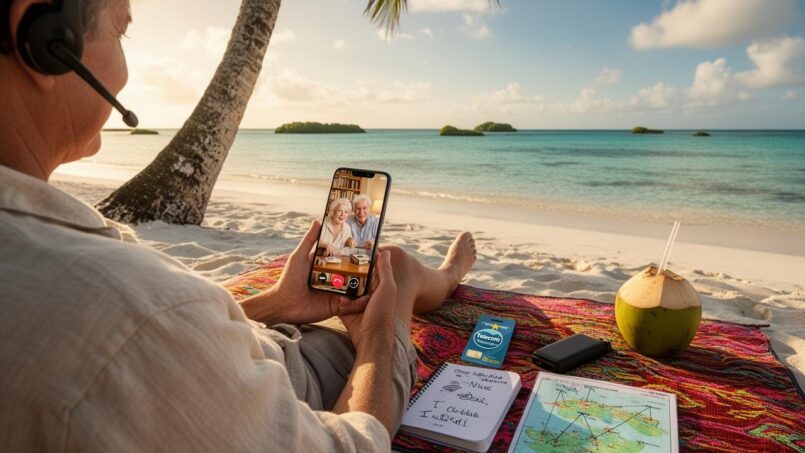
In Niue, the lagoon is electric blue, coral cliffs plunge into the Pacific, and life feels far from the clamor of the connected world. Yet for travelers as well as Niueans in the diaspora, one question keeps coming up: how do you stay in touch with family and friends from a tiny atoll of 1,600 people, lost in the middle of the ocean, where international roaming simply doesn’t exist?
Niue has a functional but specific telecom infrastructure. To stay connected, you need to plan ahead and combine several solutions: buying a local SIM card, using available WiFi networks, relying on messaging apps, and, for some communications, sending international mail. Understanding how this system works is essential for a good connection on the island.
Understanding Niue’s Digital Landscape
Before diving into practical tips, it’s important to grasp the context. Niue is often cited as a pioneer among small digital islands. The country was long known as the “WiFi Nation,” the first state to aim for free WiFi access across its entire territory, funded in part by the revenue from its .nu internet extension.
Today, the environment has evolved, but the island remains surprisingly connected for its size. By the end of 2025, there were 1,671 active mobile connections, nearly 92% of the population, and about 80% of residents had internet access. In other words, the majority of Niueans can be reached online, even though the quality of service varies by area and individual means.
Geographical isolation leads to reliance on a single provider and a limited number of key technologies.
Telecom Niue: The Key Player
In Niue, there is no choice of mobile network: everything goes through Telecom Niue. The company, 100% government-owned, handles fixed lines, the mobile network, ADSL, and a large part of the island’s internet access. It has invested in 4G LTE, fiber optics, and an international link via the Manatua submarine cable, operational since 2021, with a satellite backup in case of problems.
To stay in touch with your loved ones, everything revolves around three main components:
– A Telecom Niue SIM card for voice, SMS, and mobile data
– Fixed internet access (ADSL or WiFi) provided or not by Telecom Niue
– Complementary solutions like Kaniu Native Broadband or accommodation WiFi networks
Roaming Impossible: A Local SIM Card Is Mandatory
First reality to accept before setting foot on the tarmac of Hanan Airport: international roaming does not exist in Niue. Telecom Niue has no roaming agreements with foreign operators. If you arrive with your usual SIM card, your phone will show a signal… but calls and data won’t work.
The only way to make calls, send local SMS, or use mobile data is to buy a Telecom Niue SIM card.
Where and How to Buy Your SIM
SIM cards are sold without restriction to tourists and residents alike. You have two main options:
– The Telecom Niue kiosk at Hanan Airport on flight arrival days
– The Telecom Niue office at the Alofi Commercial Centre, open daily
Discover the two main SIM card options available for visitors in France, designed to meet different connectivity needs.
A physical SIM card to buy in-store, topped up as needed. Ideal for a medium-length stay or if you already have an unlocked phone.
A virtual SIM card to download directly onto your compatible device. Perfect for quick activation, no waiting, even before you arrive.
| Card Type | Approximate Price | What’s Included | Validity |
|---|---|---|---|
| Standard SIM | 10 NZD | Card only, no plan | Based on credit |
| Visitor SIM / Visitor Package | 55 NZD | SIM + 30 min calls (Niue, NZ, Australia) + 30 SMS + 6 GB | 14 days |
Exact prices may vary slightly depending on the source (some mention 50 NZD for a “Visitor Travel SIM”), but the order of magnitude is the same: around 50–55 NZD for a visitor pack with a small amount of voice, SMS, and a comfortable data allowance for two weeks.
Activation is immediate upon purchase. To check your balance, you can use the Telecom Niue app (Android/iOS) or dial USSD codes like *888#.
Check Your Phone’s Compatibility
Another peculiarity of Niue: the network relies on specific frequencies. Before counting on your smartphone to call your loved ones via WhatsApp or Messenger, you need to know if it will “talk” to Telecom Niue’s antennas.
The network uses:
– GSM / 2G on 900 MHz for “classic” voice
– 4G LTE on band 28 (700 MHz) for data and VoLTE voice
In practice:
Recent iPhones are compatible with Niue’s network, provided VoLTE is enabled in settings. Most recent Android phones support the required band 28, but not all; on certain models, installing a dedicated app, ‘Telecom Niue 4G App’, is necessary to make calls over 4G. If your device does not support band 28 or is not GSM-compatible (for example, if it’s CDMA-only), you may be unable to use mobile data or calling services.
In case of incompatibility, Telecom Niue rents out mini WiFi routers (MiFi). These small devices connect to the 4G network and then broadcast a private WiFi for your phones, tablets, and computers.
The indicative price for a MiFi is:
| Service | Cost |
|---|---|
| MiFi Rental | 50 NZD |
| Refundable Deposit | 80 NZD |
The MiFi accepts a Telecom Niue SIM and can connect up to about ten devices. It’s often the ideal backup solution for families or groups.
Which Plan to Choose to Stay Reachable Without Breaking the Bank
Once you have your SIM, you need to choose a plan. Telecom Niue offers three main categories of prepaid options: “Mixed Bundles” that combine voice/SMS/data, visitor-specific offers, and data-only plans.
When you want to stay in touch with loved ones abroad, the goal is to find the right balance between direct international calls (often expensive), mobile data for apps (WhatsApp, Messenger, etc.), and a few local minutes to reach accommodations, restaurants, or services on the island.
Mixed Bundles: For Those Who Call Locally
Mixed offers are mainly designed for local communications, but they can help if you combine calls, SMS, and a bit of data.
| Offer | Content | Validity | Price (NZD) |
|---|---|---|---|
| Weekend Bundle | 2 GB (Saturday–Sunday) | Weekend only | 10 |
| Lite | 512 MB + 200 local min + 100 SMS | 60 days | 21 |
| Classic | 3 GB + 500 local min + 250 SMS | 60 days | 52 |
| Heavy | 10 GB + unlimited local minutes & SMS | 60 days | 104 |
For a short stay, the Lite offer is sufficient if you plan to mainly use internet messaging for loved ones abroad. “Heavy users”, especially remote workers, will benefit from combining a more generous data offer with other options (night plans, ADSL).
Visitor-Specific Plans
Visitor Plans are clearly designed for tourists. They focus on data for internet-based exchanges, while offering a small cushion of minutes to New Zealand and Australia, two key destinations for the Niuean diaspora.
| Visitor Offer | Content | Validity | Price (NZD) |
|---|---|---|---|
| Visitor Data1 | 6 GB Data | 7 days | 32 |
| Visitor Package 1 | 6 GB + 100 local min + 30 min to NZ & Australia | 14 days | 50–55 (varies by pack) |
To keep in touch with loved ones based in New Zealand or Australia, those 30 included minutes can serve as a backup when WhatsApp or Messenger are not working well. But for regular conversations, data remains significantly more cost-effective.
Data-Only Plans: The Core of Your Connectivity
Most travelers rely on mobile data and apps. Telecom Niue’s “Mobile Data” plans are made for that.
| Data Plan | Volume | Validity | Price (NZD) | Note |
|---|---|---|---|---|
| Quick Bytes 2 | 1.5 GB | 6 days | 8 | Short stay / top-up |
| Mobile Data 1 | 2 GB | 30 days | 16 | Light usage |
| Mobile Data 2 | 6 GB | 30 days | 32 | Moderate usage |
| Mobile Data 3 | 12 GB | 30 days | 50 | Heavy usage |
| Mobile Data 4 | 20 GB | 30 days | 75 | Intensive usage |
| Mobile Data 5 | 30 GB | 30 days | 105 | Remote work / large volume |
| Mobile Data 6 | 15 GB | 28 days | 55 | Intermediate variant |
| Night Surfer 10 GB | 10 GB nighttime (10 PM–6 AM) | 7 nights | 10 | Nighttime downloads |
| Night Surfer Unlimited | Unlimited data 10 PM–6 AM | 7 nights | 30 | Streaming / massive downloads |
To stay in touch with your loved ones via the internet (audio/video calls, messages, photos), a volume of 6 to 12 GB over two weeks to a month is generally comfortable if you watch your consumption (disable automatic photo backups, background updates, etc.). The “Night Surfer” options are very useful for downloading series, app updates, or large files at night without eating into your “daytime” quota.
WiFi, ADSL, Kaniu: Making the Most of All Access Points
In Niue, internet access isn’t just about 4G. A large number of accommodations, a few public hotspots, and alternative solutions like Kaniu Native Broadband round out the picture.
WiFi at Accommodations: Convenient but Sometimes Unreliable
Most guesthouses, villas, bungalows, and the island’s large resort offer WiFi, either free or paid. Some establishments are directly connected to Telecom Niue’s ADSL plans, while others use dedicated modems to sell prepaid access.
Here’s an overview of some accommodations and their WiFi connection type:
| Accommodation | Advertised Access Type |
|---|---|
| Scenic Matavai Resort | Free WiFi (often with a limit) |
| Scenic Matavai Apartments & Villa | Free WiFi |
| Lau’s Getaway | Free WiFi |
| Breeze | Free WiFi |
| NIC’s Bungalows | Free WiFi |
| Yolos Accommodation | Free WiFi |
| Peleni’s Guesthouse | Free WiFi |
| Kololi’s Motel (Guesthouse) | Free WiFi |
| Tuaga Lodge | WiFi (free or via Telecom Niue modem) |
| Anaiki Motel | Telecom Niue modem for ADSL plans |
| Namukulu Cottages | Telecom Niue modem |
| Stone Villas | Telecom Niue modem |
| Damiana’s Holiday Motel | Telecom Niue modem |
| Taloa Heights | Telecom Niue modem |
| Taoke Fales | Telecom Niue modem |
| Aleki Guesthouse | Telecom Niue modem |
In practice, you have to deal with several constraints:
– Speed can be slow, especially during peak hours or in bad weather (the backup satellite signal is sensitive to weather)
– “Free” WiFi is often capped: daily data quota, limited time per device per day
– Depending on the room’s location, the signal may be weak; sometimes you need to move closer to the main building or reception
This WiFi network is ideal for planning video calls, sending large batches of photos, or performing app updates. However, it is recommended not to rely on it as your sole connection source, but rather as a supplement to stay in touch with your loved ones.
Telecom Niue ADSL: For “Serious” Needs
For longer stays or remote workers, Telecom Niue also offers prepaid ADSL access, via modems rented or already installed in some accommodations.
| Prepaid ADSL Plan | Volume | Validity | Estimated Price (NZD) |
|---|---|---|---|
| 2 GB | 7 days | ~8 | |
| 10 GB | 30 days | ~35 | |
| 15 GB | 28 days | ~40 | |
| 20 GB | 30 days | ~60 | |
| 40 GB | 30 days | ~100 | |
| 75 GB | 30 days | ~160 | |
| 10 GB Nighttime (10 PM–6 AM) | 7 days | ~10 | |
| Unlimited Nighttime (10 PM–6 AM) | 7 days | ~30 |
These offers are aimed at those who want a more stable connection for regular calls, video conferencing, or streaming. Again, the low-cost nighttime usage is designed to relieve the network while allowing users to download or stream heavily outside peak hours.
Kaniu Native Broadband: The Island’s Public WiFi Network
Alongside Telecom Niue, Niue also has another internet provider: Kaniu Native Broadband. Kaniu has deployed a network of WiFi hotspots spread across most of the island’s villages, with specific offers for visitors.
For tourists, the main offer is:
| Kaniu Offer | Volume | Validity | Price (NZD) |
|---|---|---|---|
| Visitor bundle | 5 GB | 15 days | 25 |
Kaniu vouchers are available at the Niue Vanilla Shop in Alofi, and sometimes at the airport. The connection isn’t on par with a fiber network, but it’s sufficient to check messages, make audio calls via messaging, send compressed photos, and do light browsing.
Kaniu coverage is relatively broad, though some areas remain unserved or poorly served.
| Village / Area | Kaniu Access Point Present |
|---|---|
| Tamakautoga | Yes |
| Avatele | Yes |
| Vaiea | Yes |
| Talamaitoga | Yes |
| Hakupu | Yes |
| Liku | Yes |
| Lakepa | Yes |
| Mutalau | Yes |
| Namukulu | Yes |
| Tuapa | Yes |
| Makefu | Yes |
| Coral Gardens | Yes |
| Alofi North | Yes |
| Alofi South | Yes |
| Commercial Centre (Alofi) | Yes, public hotspot |
| Utuko | Yes |
| Amanau | Yes |
| Huihui | Yes |
| Kaimiti | Yes |
| Toi | Point online but needs modernization |
| Hikutavake | No Kaniu point |
Two public hotspots are particularly useful:
– Hanan Airport: Free WiFi is available, handy for letting your loved ones know you’ve arrived. It tends to get congested right after a plane lands.
– Alofi Commercial Centre: Kaniu offers a free hotspot there, but access is limited to certain sites (bank, local webmail, etc.), so it’s not a complete solution for video chatting with your family.
For a structured stay, combining a Kaniu Visitor bundle and a Telecom Niue data plan can be a good strategy: mobile data for mobility, Kaniu to save your quota whenever you’re near an access point.
Messaging Apps: The Key to Reaching Your Loved Ones
One of the great advantages of connectivity in Niue is that messaging apps and social networks work normally, as long as you have an internet connection. WhatsApp, Messenger, Viber, Telegram, Snapchat, Instagram: all are accessible, subject to bandwidth.
Rely on Apps Rather Than Traditional International Calls
To call directly from Niue to abroad via the telephone network, rates add up quickly. For example, an international call from Niue to some countries can exceed 1 NZD per minute, or even more to neighboring islands like the Cook Islands. An international rate table shows that outgoing calls from Niue itself (to other countries) can cost nearly 1.80 NZD per minute in some cases.
For regular conversations, it’s much better to systematically use: instant messaging platforms.
– Audio and video calls on WhatsApp
– Calls via Facebook Messenger
– Viber, Telegram, or Signal for those who use them
WhatsApp is used by over 3 billion people worldwide.
For the Niuean diaspora in New Zealand, Australia, or elsewhere, Facebook also plays a central role. On Niue itself, Facebook pages and groups of institutions, churches, and associations serve as quasi-official information platforms. In early 2024, Facebook had about 1,400 users on the island, over 70% of the population, and more than 90% of local internet users were on Facebook. This makes it a prime channel for staying in touch with the island, even after you’ve left.
Reconfiguring Your Apps with Your Niuean Number
A practical detail not to forget: many apps, including WhatsApp, are linked to a phone number. When you insert a Telecom Niue SIM, you can:
When you get a new Niuean number, you have two choices for managing WhatsApp: keep the app linked to your original number by using the SIM in a secondary device, or transfer your account to your new number (+683…). In the latter case, it’s essential to inform your contacts to save your new number.
In any case, remember to: note down essential information.
– back up your conversations before changing the associated line
– use two-step verification (PIN codes, etc.) to secure your accounts
– update your contact details on important channels (family groups, colleagues, etc.)
Managing Your Data Usage to Last the Whole Stay
Staying in touch via messaging consumes much less than video streaming, but a poorly configured phone can eat up your plan.
Some useful habits as soon as you arrive:
– disable automatic app updates over mobile data
– block automatic photo/video backups to the cloud over 4G
– force video playback to standard quality (on WhatsApp, Instagram, etc.)
– completely turn off mobile data when you don’t need it, especially at night
Local guides explicitly recommend turning off WiFi or 4G after each session, blocking background downloads and automatic updates to avoid unpleasant surprises.
Phone, SMS, Dialing: The Basics You Need to Know
Even in the age of apps, the good old telephone is sometimes the most reliable solution: internet outages, calls to relatives who aren’t tech-savvy, contacting local services…
In Niue, the numbering plan is simple: no area codes, just short numbers with the country code for international calls.
How to Call and Be Called
Niue’s country code is +683. Local numbers are generally four digits for fixed lines and “historical” mobiles, and seven digits for special prepaid LTE numbers.
To call a Niuean number from abroad, the structure is:
– from most countries: 00 683 + local number
– from the United States: 011 683 + local number
– from a mobile: +683 + local number
For example, to call the landline 4747 from abroad, you need to dial the international access code (00), followed by the country code (683), then the local number (4747). From a mobile, you can use the international format with the ‘+’ sign: +683 4747.
Within Niue, just dial the 4 digits (or 7 for some LTE mobiles) without any prefix.
What Niuean Numbers Look Like
Some references from the national numbering plan:
– Fixed lines (PSTN): four-digit numbers starting with 4, 7, 8, or 9
– Prepaid 2G mobiles: four-digit numbers starting with 5 or 6
– Postpaid AMPS mobiles: numbers starting with 1 (excluding 10xx) or 3
– Some prepaid LTE mobiles: special range 8884000 to 8889999
Examples of valid numbers:
| Example | Probable Type |
|---|---|
| 4747 | Fixed line or local service |
| 7234 | Fixed line (7xxx range) |
| 8885123 | Prepaid LTE mobile |
Examples of invalid numbers:
| Example | Why Invalid |
|---|---|
| 0234 | Impossible prefix |
| 1056 | 10xx combination reserved / invalid |
| 567 | Too short |
| 56789 | Too long in local format |
Emergency Calls and Useful Numbers
Even on vacation, it’s important to know who to call in case of need. Some key numbers:
| Service | Number |
|---|---|
| Emergencies (police, fire, ambulance) | 999 |
| Hospital | 4100 |
| Police (non-emergency) | 4333 |
| Fire (direct line) | 4133 |
| Operator assistance | 010 |
| Faults & information | 015 |
| Weather and tides | 101 |
For standard local calls, fixed-to-fixed communications run about 0.17 NZD per minute. International calls, on the other hand, are much higher: in practice, it’s better to reserve these “traditional” calls for exceptional situations and prioritize internet platforms.
SMS: Some Limits to Know
Telecom Niue offers outgoing SMS, but with several technical constraints:
SMS are unidirectional from some international platforms. Long messages (concatenated SMS) are not supported: you must respect the 160-character limit (GSM-7 encoding) or 70 characters (UCS-2) to ensure delivery. MMS are converted to SMS containing a URL link to be opened via the internet.
In other words, if you want to exchange long text messages or photos with your loved ones, messaging apps over the internet are infinitely more suitable than standard SMS.
Staying Connected Beyond the Digital: The Role of Mail and Parcels
It’s often forgotten, but staying in touch with loved ones isn’t just about calling or writing online. From Niue, you can also send letters, postcards, and parcels. Delivery times and services vary by country, but the island offers several categories of international shipping: courier, express, standard, and economy (air or sea).
For most travelers, the most common use remains sending postcards or small souvenir packages. Niue’s postal network distinguishes, among others:
Overview of the different shipping methods available for letters and parcels, with their delivery times and specificities.
The fastest shipping method. Currently suspended to many countries, including the United States.
For letters and parcels. Delivery times vary between 3 and 18 business days depending on the destination.
For parcels, often slower. Delivery times can reach 25 business days or more.
Even slower services or currently suspended to some countries.
Shipments to Europe or Asia generally pass through New Zealand, which explains the variability in delivery times.
To maintain a more symbolic connection—a handwritten card, a small package of local products—these options remain relevant, especially for families who appreciate the tangible side of exchange, complementing instant communications.
A Highly Connected Society… but Unevenly So
Beyond purely technical aspects, understanding how Niueans use digital tools also helps imagine how to stay in touch with them.
The Explosion of Social Media
The island’s figures are striking: in early 2024, there were about 1,400 “user identities” on social media, more than 70% of the population. Facebook dominates the landscape, with an advertising reach equivalent to over 90% of Niue’s internet users, while Instagram, Messenger, and even X (formerly Twitter) have their place.
Institutions, organizations, and associations have their own Facebook page, where information circulates fastest during important events. The small size and cohesion of the community allow for spontaneous social control: rumors are quickly corrected by other members.
For Niueans in the diaspora, these networks have become a permanent thread connecting them to the fenua: photos of ceremonies, family announcements, political news, calls for support. For travelers, it’s also a discreet way to stay informed about what’s happening on the island and to keep in touch with people met on the ground.
When the Phone Changes the Lives of Elders
A qualitative study conducted with 12 mamatua (Niuean elders) illustrates the concrete impact of the mobile phone on the ability to stay connected. These elders, equipped with smartphones through a church initiative during the pandemic, describe:
The use of digital tools offers several benefits: faster access to loved ones and information, a strengthened connection with the religious community through social media and video calls, access to Niuean cultural and religious content on YouTube, and the ability to receive important medical information such as test results.
Many say they feel “lost” without a phone, proof that even on a remote atoll, digital exclusion leads to social isolation. The main barrier mentioned remains the cost of data, which echoes the general concerns of residents about the economic accessibility of connectivity.
For a traveler or a relative living abroad, this means that a simple regular video call or a voice message can have enormous weight, especially for those generations who adopted digital tools late but found in them a new link with their families scattered across the Pacific.
Practical Tips for a Connected and Stress-Free Stay
In summary, staying in touch with your loved ones from Niue is entirely feasible, provided you plan ahead a bit and adapt your habits. Several simple principles allow you to fully enjoy the island without becoming a slave to the signal bar.
Before You Leave
It’s helpful to: develop your skills, communicate effectively, work as a team, manage your time, and adapt to changes.
Before traveling, make sure your smartphone supports 4G LTE band 28 (700 MHz) for good connectivity. If you’re traveling with a partner, plan for a backup or unlocked phone: one for the local SIM card, the other to keep your original SIM. Also, let your loved ones know that you won’t be reachable via regular roaming and that communication will mainly go through apps like WhatsApp or Messenger.
Upon Arrival at Hanan Airport
Once through immigration:
– Find the Telecom Niue kiosk to buy a Visitor SIM or a standard SIM
– Make sure the SIM is activated before leaving the airport
– Briefly connect to the airport’s free WiFi to send a “just arrived” message to your loved ones, alongside setting up the SIM
During Your Stay
Day to day, a few habits will help you stay reachable without draining your plan:
For a better digital experience during your travels, prioritize the WiFi at your accommodation for video calls or sending large files. If you’re in a covered area, use a Kaniu voucher to access its hotspots. Schedule important downloads (like movies or updates) during the ‘Night Surfer’ slots if your plan offers them. Finally, reserve traditional international phone calls for emergencies and always prefer VoIP via your dedicated apps.
On your loved ones’ side, encourage them to install several apps (WhatsApp + Messenger + Viber, for example). If one of them has an issue, you’ll have a backup solution.
What Niue Tells Us About the Future of Connectivity in Islands
Beyond the concrete case of your upcoming stay, Niue well illustrates the tensions that today run through Pacific island societies. On one hand, increasingly powerful technologies: the Manatua submarine cable, 4G LTE, plans for a second fiber loop around the island, potential next-generation satellite solutions. On the other hand, persistent realities: high bandwidth costs, small technical teams, uneven coverage between villages, dependence on a single operator.
Projects like those from the ITU, the Kacific1 satellite, or telemedicine and distance education programs aim to reduce geographic isolation. However, on the ground, as in Niue, connectivity remains a daily concern that translates into practical choices: selecting a prepaid offer, managing data consumption, or searching for a Wi-Fi hotspot.
For now, if you’re planning a trip to Niue or have family there, you can be reassured: despite the complete absence of roaming, the island is far from disconnected from the world. With a local SIM card, a bit of discipline on your data usage, and smart use of apps, you’ll be able to continue sharing your days, sending photos of sea caves and reefs, or simply calling your grandmother on a Sunday after church.
In Niue, the Pacific is vast, but the distance to your loved ones is now just a matter of network and a few well-chosen settings.
Disclaimer: The information provided on this website is for informational purposes only and does not constitute financial, legal, or professional advice. We encourage you to consult qualified experts before making any investment, real estate, or expatriation decisions. Although we strive to maintain up-to-date and accurate information, we do not guarantee the completeness, accuracy, or timeliness of the proposed content. As investment and expatriation involve risks, we disclaim any liability for potential losses or damages arising from the use of this site. Your use of this site confirms your acceptance of these terms and your understanding of the associated risks.

Cyril Jarnias is an independent expert in international wealth management with over 20 years of experience. As an expatriate himself, he is dedicated to helping individuals and business leaders build, protect, and pass on their wealth with complete peace of mind.
On his website, cyriljarnias.com, he shares his expertise on international real estate, offshore company formation, and expatriation.
Thanks to his expertise, he offers sound advice to optimize his clients' wealth management. Cyril Jarnias is also recognized for his appearances in many prestigious media outlets such as BFM Business, les Français de l’étranger, Le Figaro, Les Echos, and Mieux vivre votre argent, where he shares his knowledge and know-how in wealth management.